Mobile & Desktop
Check on the go, continue at your desk
Erdikon runs in the browser and adapts its interface to the screen width. On your phone, you quickly check an invoice. On your laptop or desktop, you work through the whole list.
Free for up to two users. No credit card required.
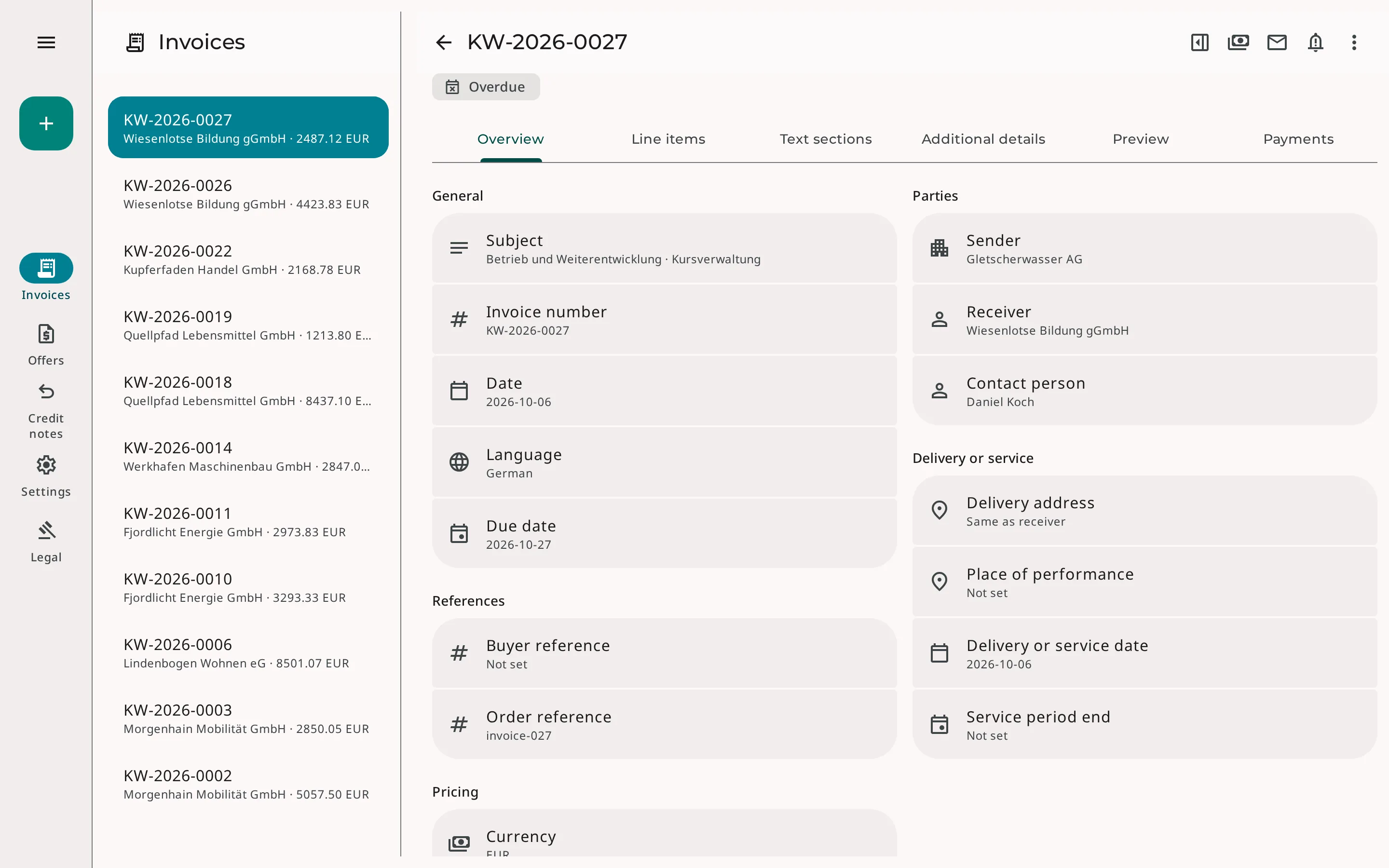
A layout for every screen size
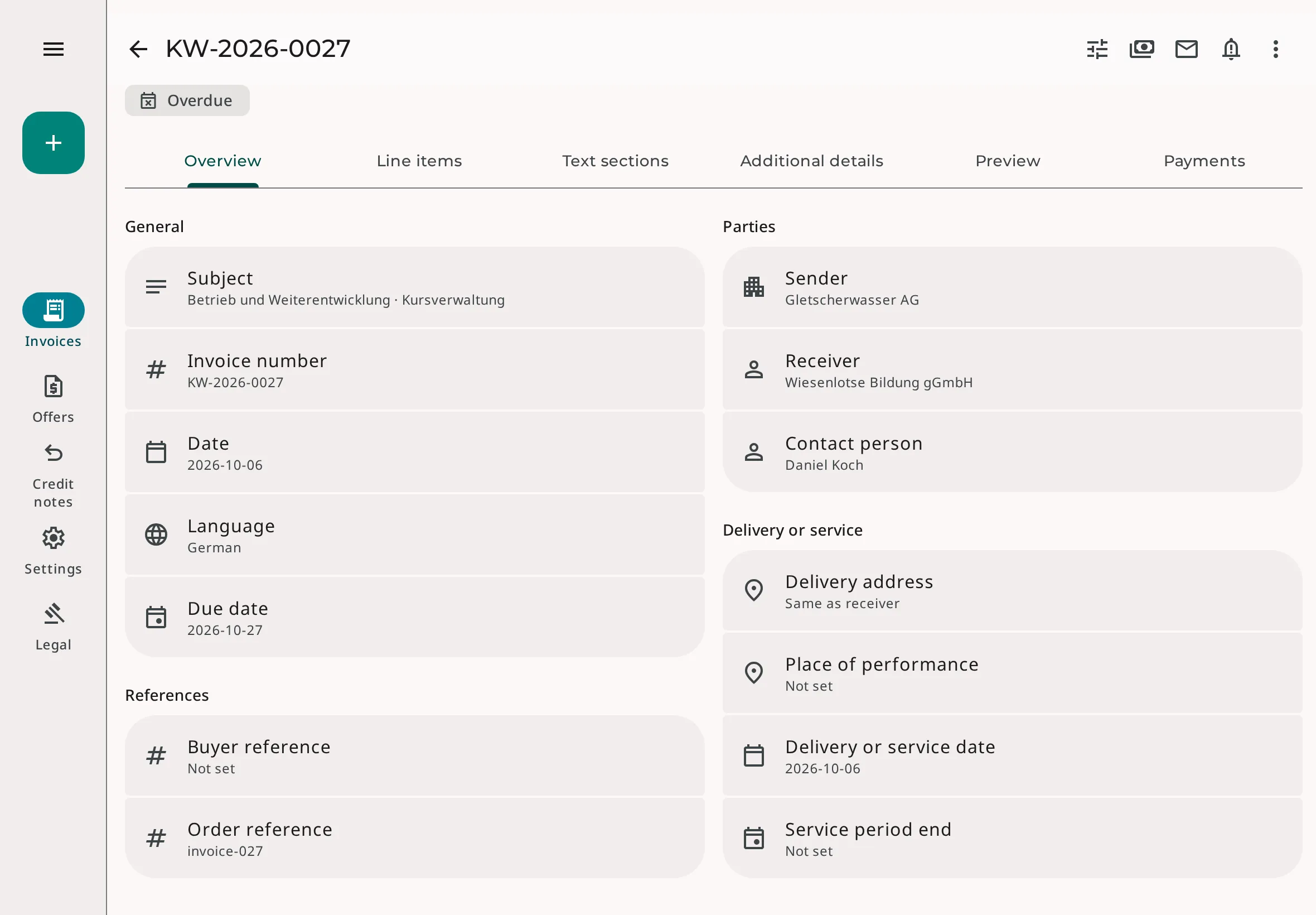
Phone
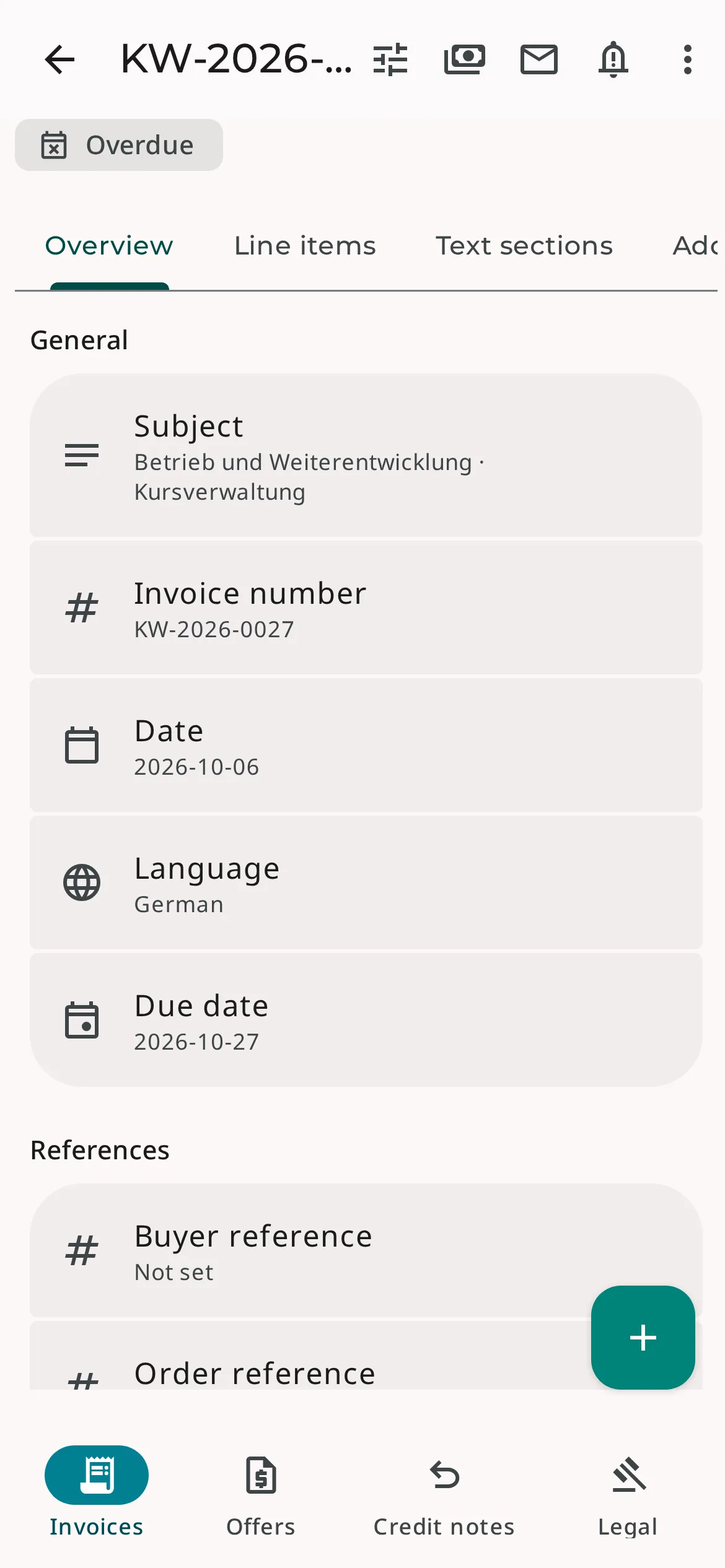
Navigation sits at the bottom of the screen. Erdikon shows lists and details one after the other, and dialogs use the full screen.
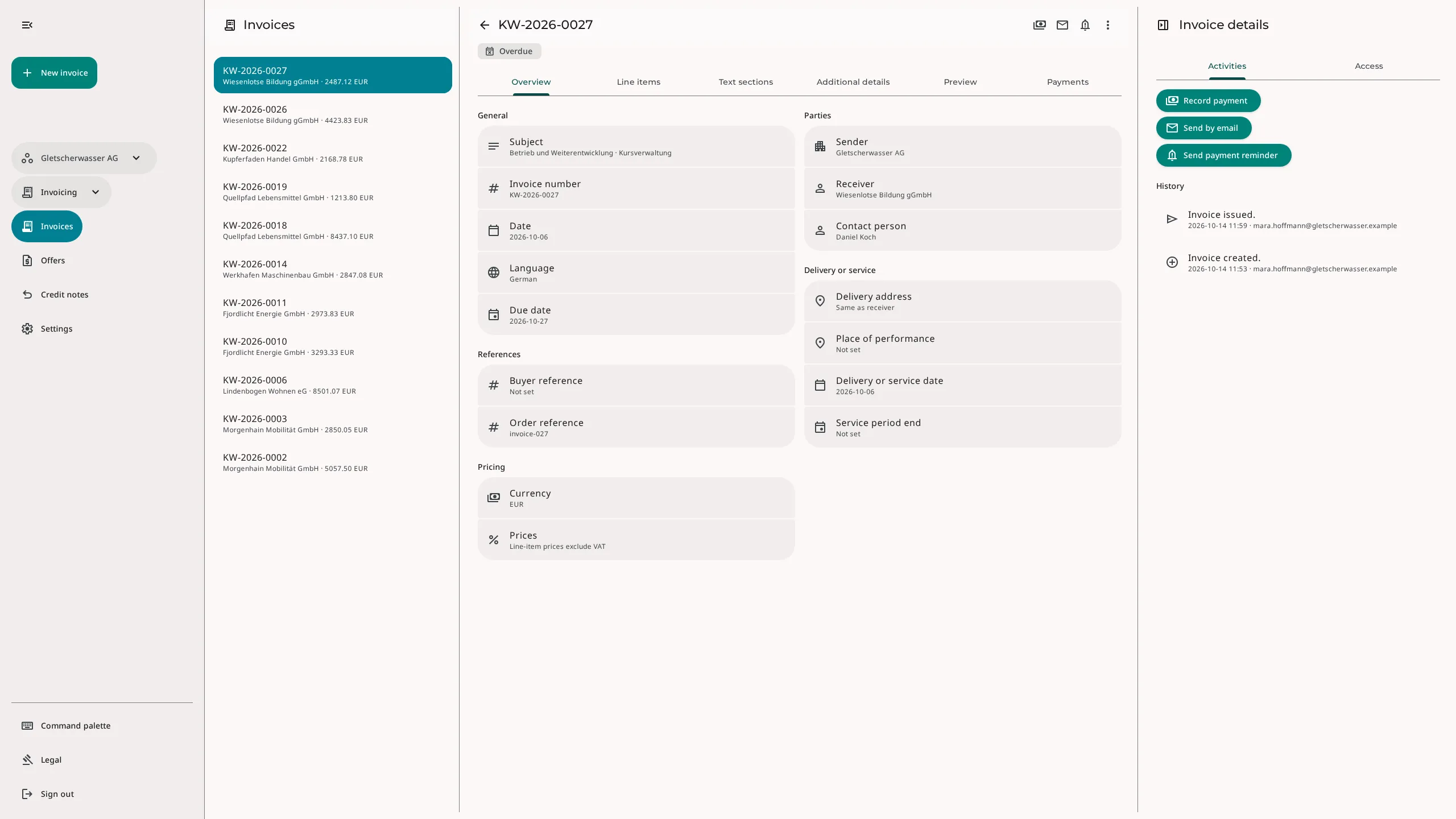
Tablet
Navigation moves to the left edge, and the details use the full width. When you expand the navigation, the content moves aside instead of being covered.
Laptop
List and details sit side by side. You go through one document after another without leaving the list.
Desktop
On large screens, a side sheet also opens with actions such as «Record payment» and the document history.
The same invoice on every device
Screenshots of the English interface with fictional sample data, captured on October 29, 2026.
Quick tasks on the go
Before a customer meeting, you want to know whether the quote is still open, or on your way to the office, you want to check whether an invoice has been paid. On your phone, you search the list directly, open the document, and return to the list with one tap.
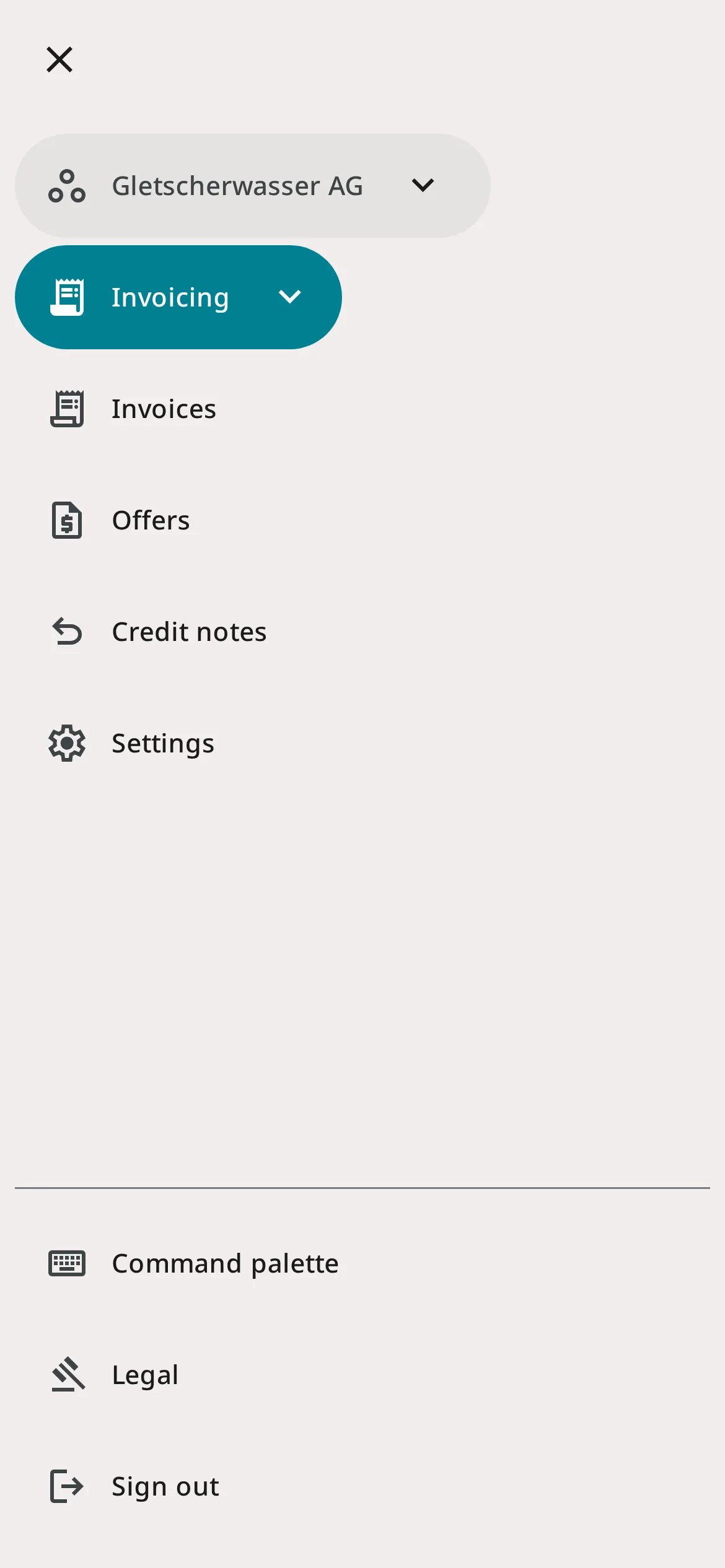
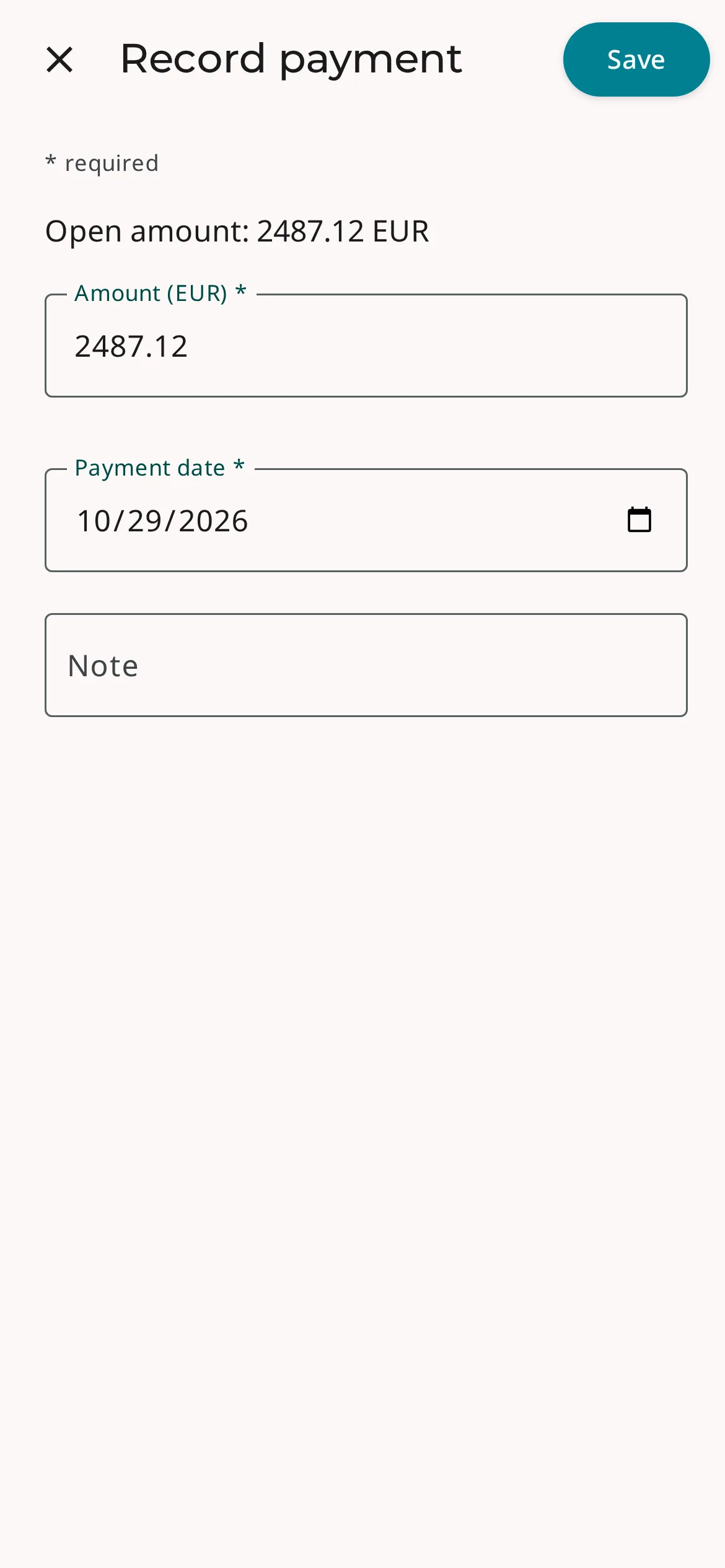
You record short entries such as a payment in a dialog that uses the full screen. Close is at the top left, Save at the top right. The full menu opens over the content and closes as soon as you choose a destination.
On your phone
- Navigation at the bottom
- Full menu on demand
- Full-screen dialogs
- List & details one after the other
- Create button within reach
One Erdikon for all devices
In the browser or as an app
Erdikon runs directly in the browser. If you want to start it like an app, you install it on your device.
All features
There is no stripped-down mobile version. Every application is just as available on your phone as on your desktop.
Switch devices
Your data lives on the server, not on the device. What you record on the go appears at your desk right away.
Light & dark
Erdikon follows the light or dark appearance you have set on your device.
Frequently asked questions
Can I install Erdikon as an app?
Yes. Erdikon is a Progressive Web App (PWA). You install it from your browser's menu on the home screen of your phone or tablet or on your computer. Erdikon then starts like an app in its own window. You do not need an app store.
Does Erdikon work without an internet connection?
No. Erdikon stores your data on the server and therefore needs a connection. If you host Erdikon yourself, you connect to your own installation.
Do I have to set up the layout myself?
No. Erdikon chooses the layout based on the window width. If you make the browser window smaller on your desktop, the layout changes as well. Your browser remembers whether navigation is expanded or collapsed on desktops and tablets.
In all applications
Every Erdikon application adapts to the screen width. You do not need to set anything up.