Use case
Bill larger projects in two steps
On larger projects, you often bill part of the amount up front and the rest at the end. In Erdikon, you create the deposit invoice from the accepted quote, and the final invoice deducts the deposit automatically.
Free for up to two users. No credit card required.
The everyday problem
On larger projects, you don't want to pre-finance the whole amount, for example because you need to buy materials or the work runs over several months. So you issue a deposit invoice first and a final invoice once the work is done.
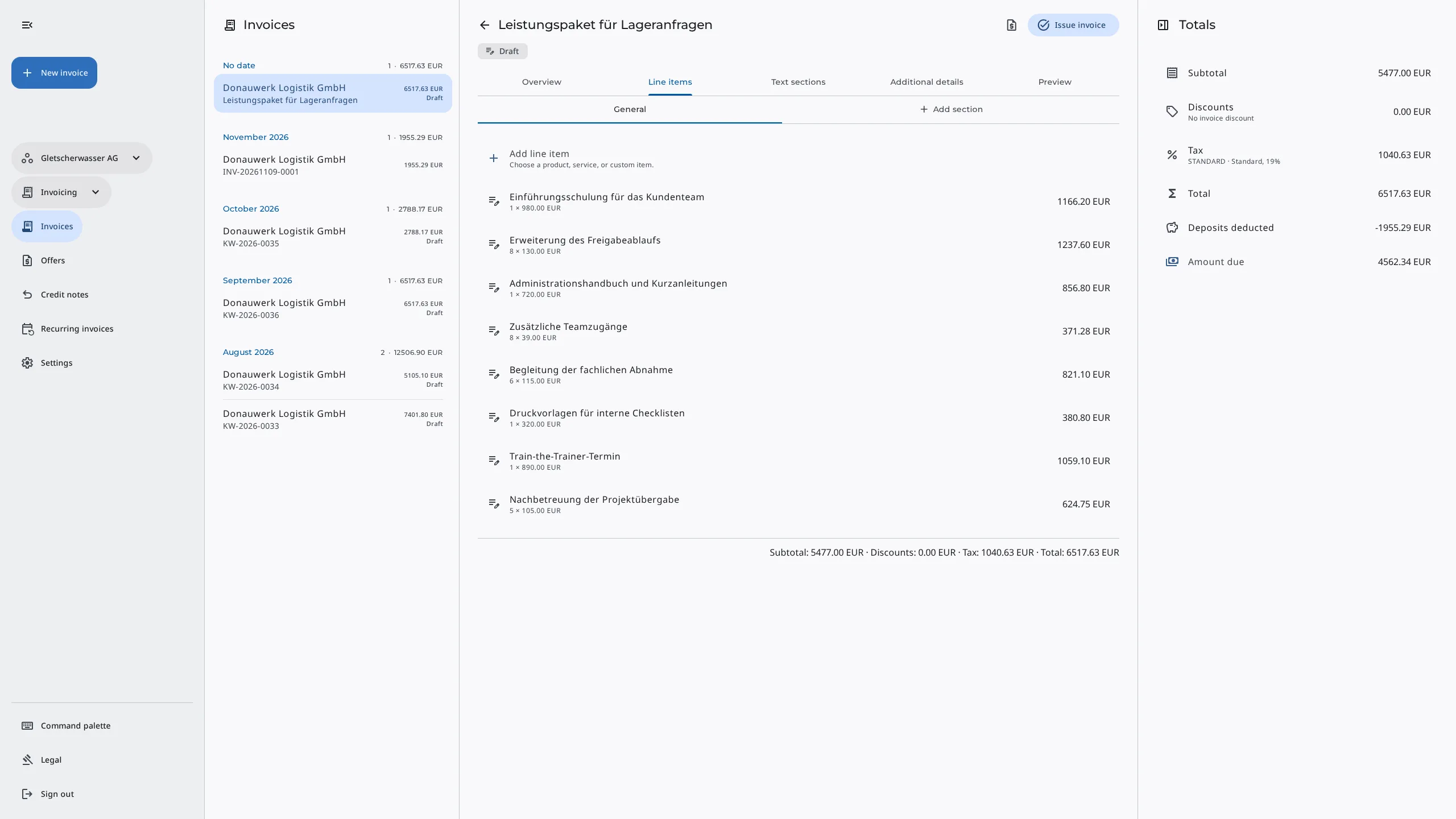
Doing this by hand is error-prone. The deposit has to be split across the right VAT rates, and on the final invoice you have to deduct it again with its net amount, VAT, and total. If the deduction is missing, you bill too much and have to correct it.
The workflow in Erdikon
- Get the quote accepted Customers accept your quote through a personal link.
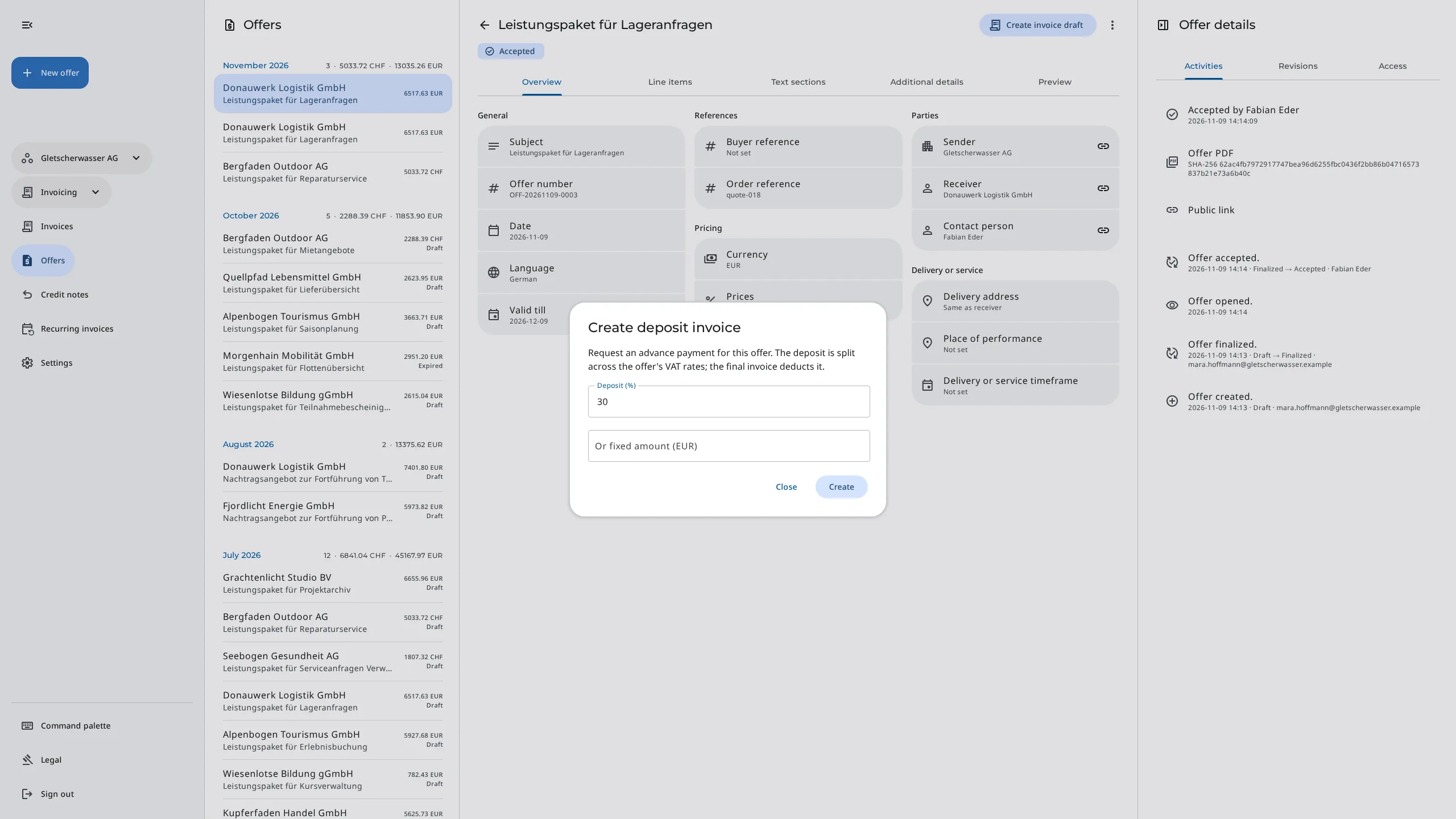
- Create the deposit invoice On the accepted quote, you enter a percentage or a fixed amount, and Erdikon creates a draft from it.
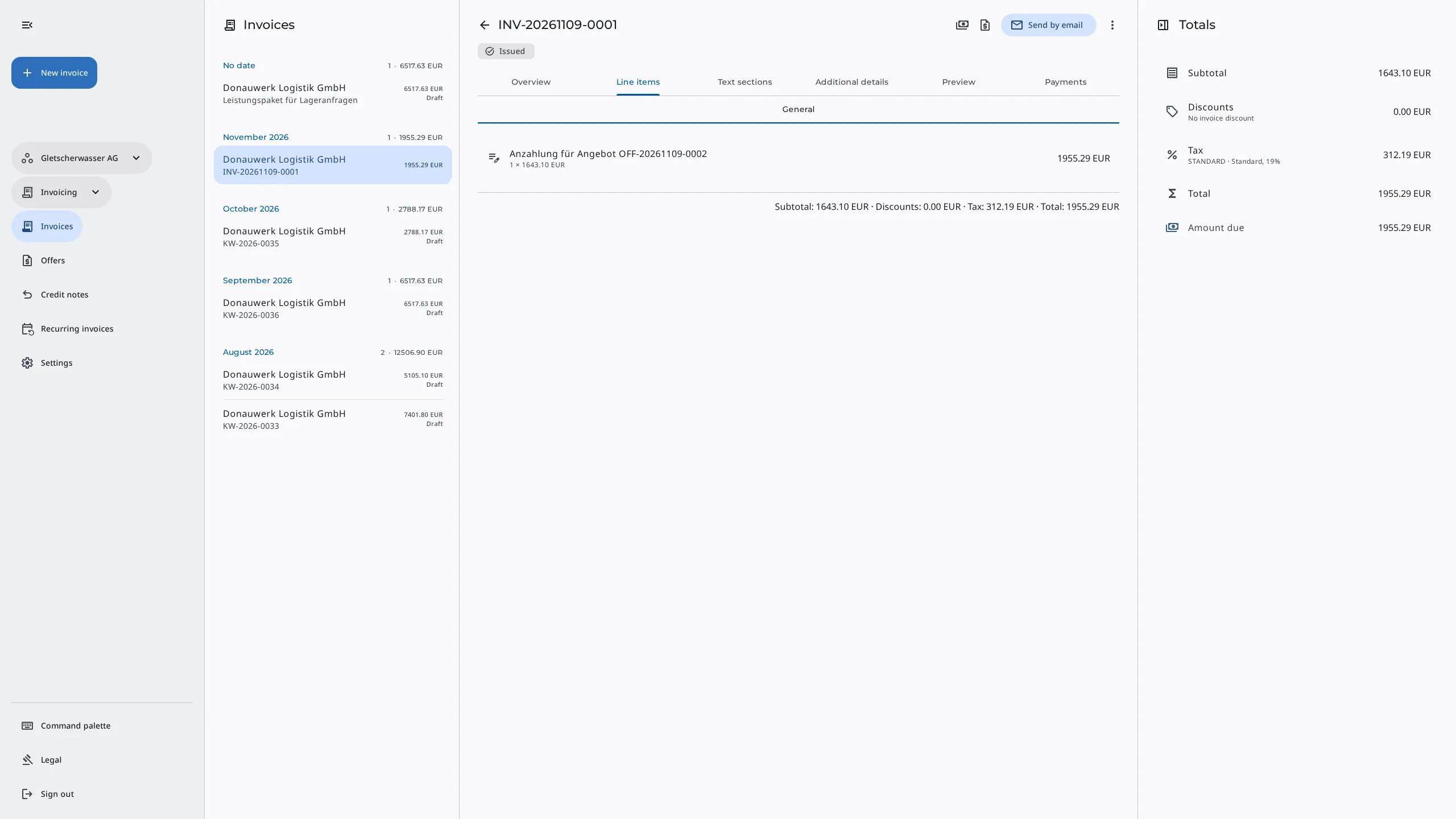
- Bill the deposit You issue the deposit invoice and send it like any other invoice.
- Issue the final invoice At the end, you create the invoice from the quote. With an issued deposit, it becomes the final invoice.
How does it work?
Erdikon splits the deposit across the quote's VAT rates in proportion to their amounts. The deposit invoice therefore follows the quote's VAT split.
The final invoice contains all line items of the quote, without optional and alternative items. It then deducts all issued deposit invoices and lists each one with its number and date. You can also bill several deposits, for example one per project phase.
Example with a 30% deposit
- Quote: CHF 8,000 at 8.1% and CHF 2,000 at 2.6% net
- Deposit: CHF 2,400 at 8.1% and CHF 600 at 2.6% net, so CHF 3,210 including VAT
- Final invoice: CHF 10,700 less CHF 3,210, so CHF 7,490 due
Benefits
Correct VAT
You don't have to split the deposit across the quote's VAT rates yourself.
Deductions without recalculating
The final invoice takes over the issued deposits with their amounts and shows the amount due.
Linked documents
Deposit and final invoices stay linked to their quote, and its history shows when they were created.
More information
Invoicing
Let customers accept quotes online, send invoices, and keep track of payments.
Learn moreMaster Data
Maintain customers, products, services, and VAT rates once and use them in every document.
Learn moreStop creating monthly invoices by hand
Set up subscriptions, maintenance contracts, and rent once.
Learn more