Use case
Stop creating monthly invoices by hand
For subscriptions, maintenance contracts, or rent, you regularly issue almost the same invoice. With a recurring invoice, you set the content and schedule once, and Erdikon creates each invoice on the planned date.
Free for up to two users. No credit card required.
The everyday problem
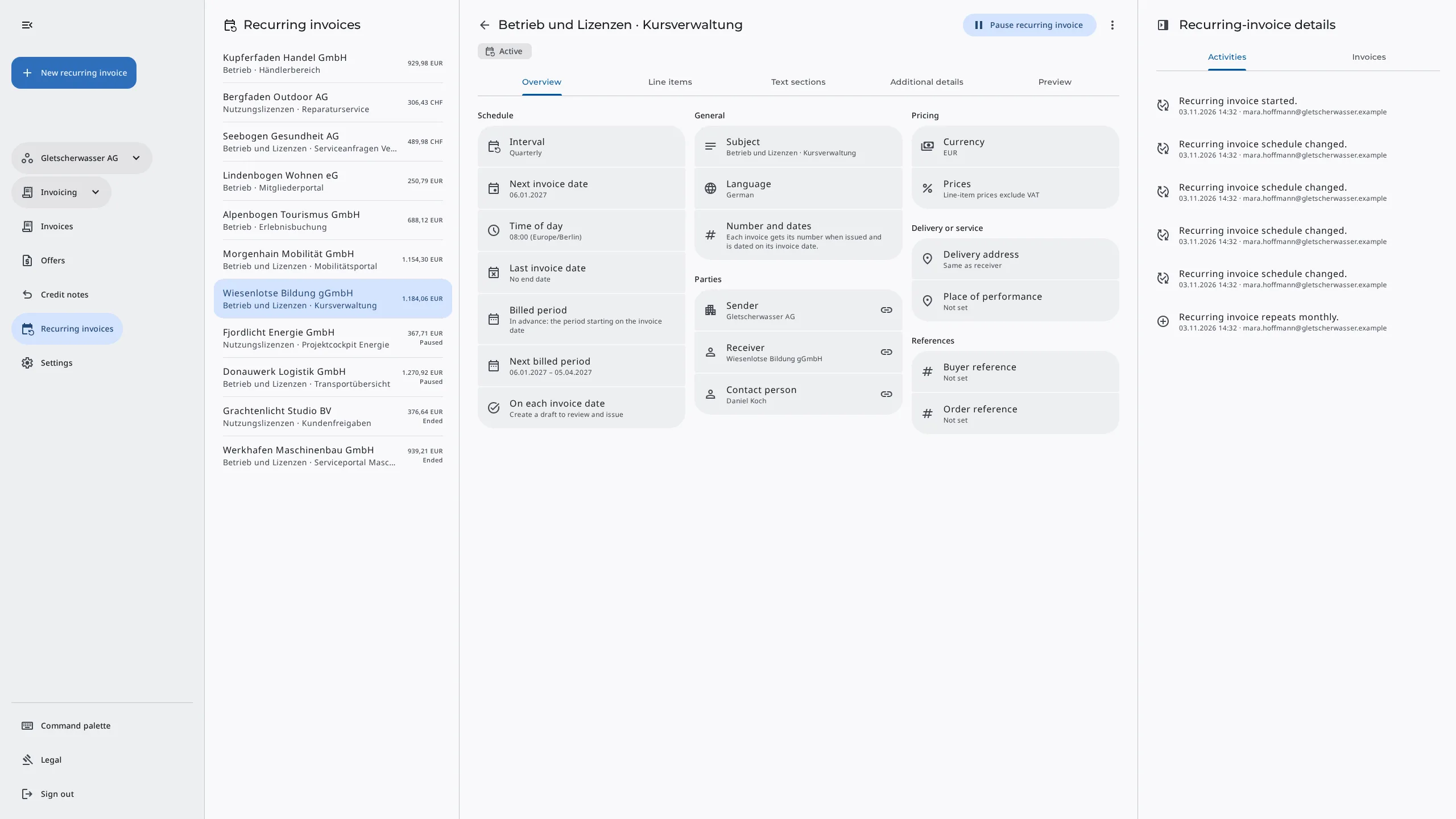
Subscriptions, maintenance contracts, and rent mean the same routine every month. You copy the last invoice, adjust the period and date, and send it. Each invoice is quick, but the work keeps coming back.
In busy weeks, an invoice easily gets left behind, and you often only notice when the payment is missing. When copying, it is also easy to carry over the wrong service period or an old address.
The workflow in Erdikon
- Create a recurring invoice You create a new recurring invoice or repeat an existing invoice from its menu.
- Set the content You enter line items and texts once. Placeholders later insert the billed period.
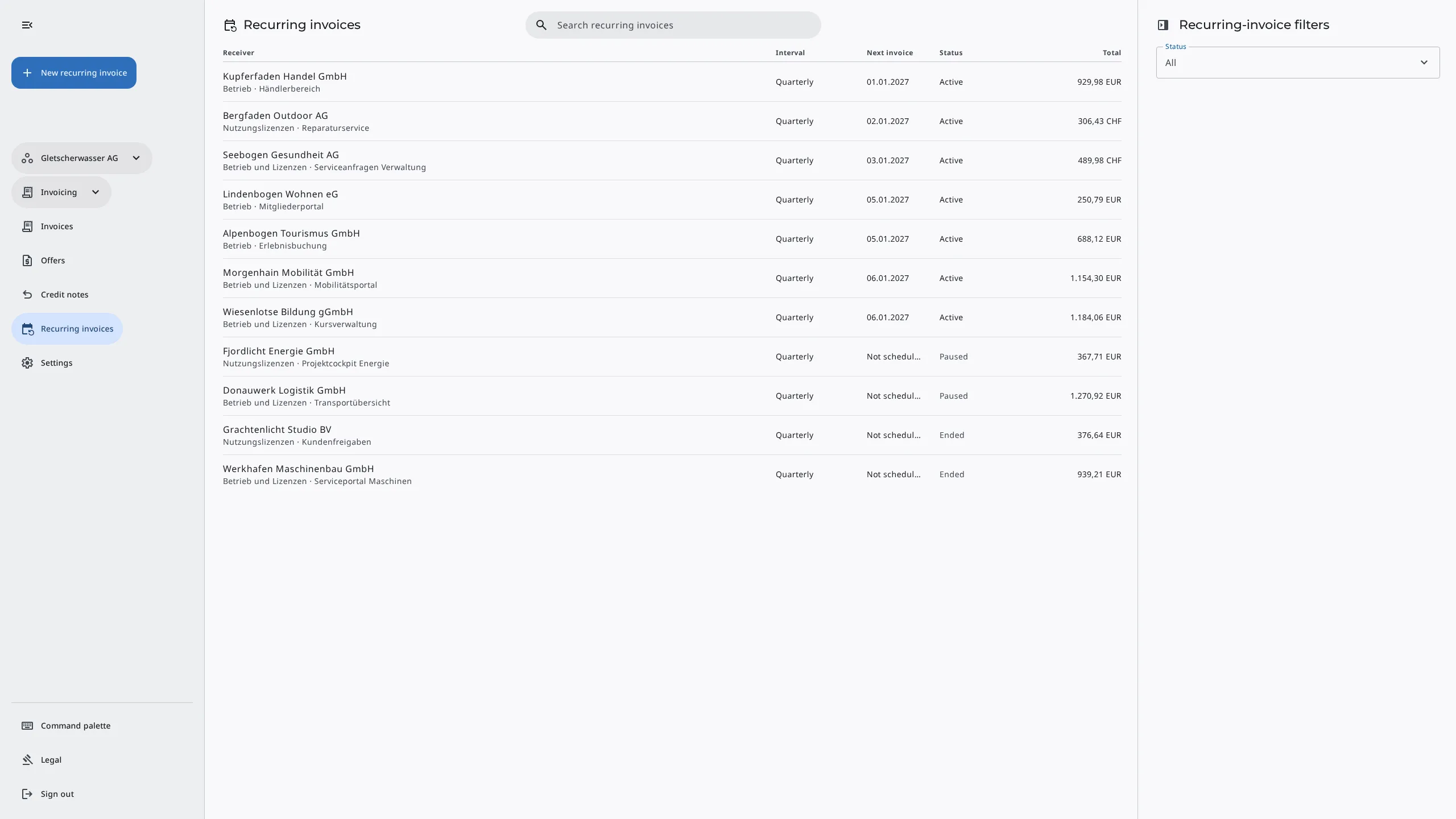
- Choose the schedule You set the interval, next invoice date, and time of day, and decide how far Erdikon processes the invoice on its own.
- Start the recurring invoice From then on, an invoice is created automatically on each invoice date.
How does it work?
On each invoice date, Erdikon creates a separate invoice from the recurring invoice, with its own number, dates, and service period. The interval is weekly, monthly, quarterly, or yearly, and you bill in advance or in arrears.
Each invoice takes the current customer data from your master data. A changed address therefore appears on the next invoice automatically.
On each invoice date
- Create a draft to review and issue
- Issue the invoice
- Issue the invoice and email it to the receiver
Placeholders keep your texts up to date. If you write {month} in the subject, texts, or line items, each invoice shows the month of the billed period. For the whole period and the year, use {period} and {year}.
You write
Maintenance {month}
The invoice says
Maintenance November 2026
Benefits
No forgotten invoices
Each invoice is created on the planned date, even in busy weeks. Erdikon reports problems by email.
The right period
The billed period follows from the schedule, so you don't have to adjust it on every invoice.
Pause without back-billing
A paused series creates no invoices. When you resume it, Erdikon does not bill the skipped dates afterwards.
More information
Invoicing
Let customers accept quotes online, send invoices, and keep track of payments.
Learn moreMaster Data
Maintain customers, products, services, and VAT rates once and use them in every document.
Learn moreBill larger projects in two steps
Bill part of the amount up front and deduct the deposit automatically.
Learn more