Use case
Convert foreign currencies for the VAT return
You invoice a customer in euros or pay a supplier in US dollars, but your VAT return is in your own currency. Erdikon converts each amount at the monthly average rate of its month and shows you which rates are still missing.
Free for up to two users. No credit card required.
The everyday problem
Every quarter, you go through the invoices and receipts in other currencies. For each one, you look up the monthly average rate of its month, convert the amount, and add it to your totals in a spreadsheet.
A rate from the wrong month or a forgotten receipt is easy to miss this way, and the totals no longer match the amounts behind them.
The workflow in Erdikon
- Record amounts in their currency You record invoices, quotes, and expenses in the currency they're in, as the receipt states it.
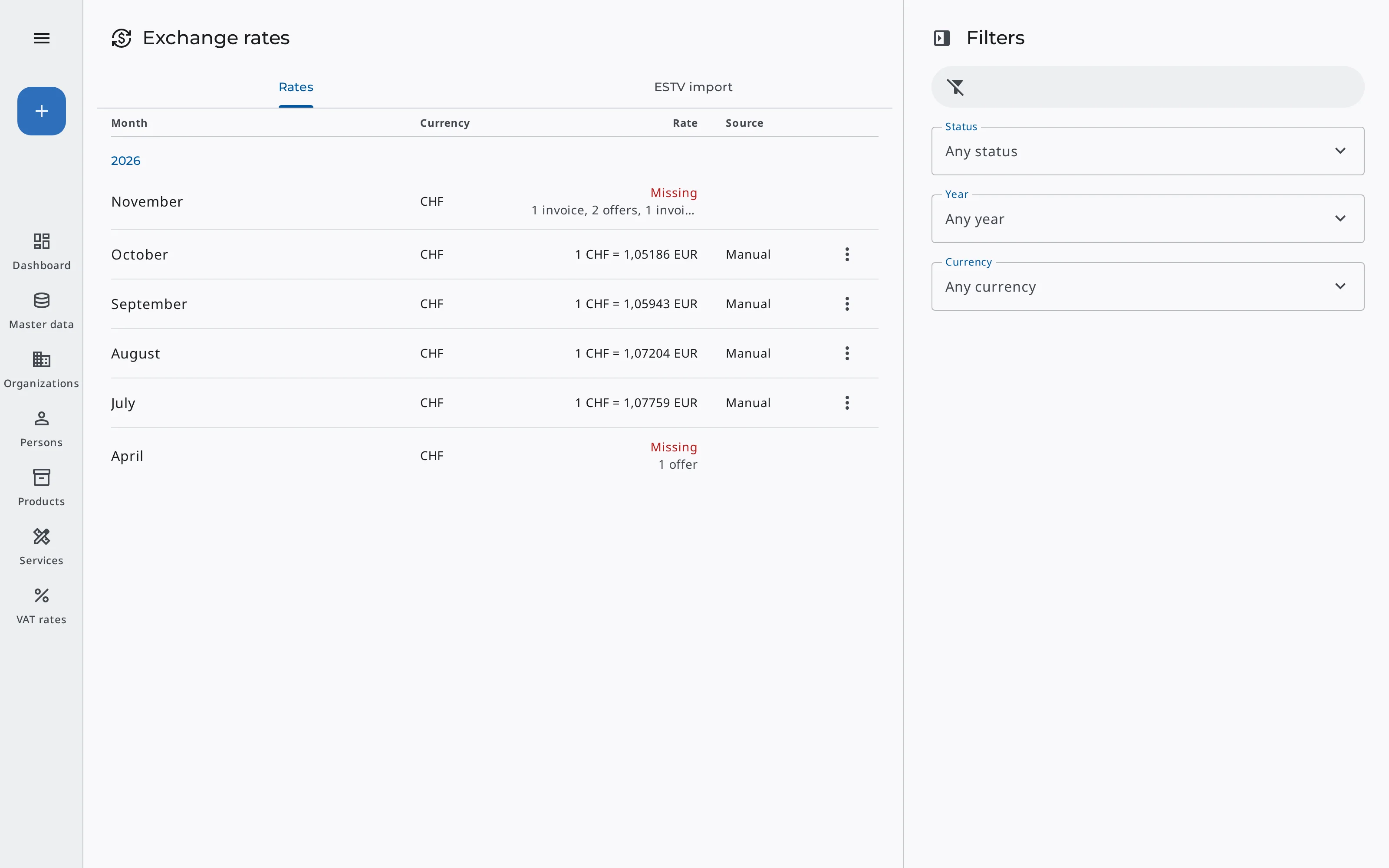
- Add the missing rates The Exchange rates page lists the months that still need a rate. You enter it or import it from the ESTV.
- Review the totals The expense report shows net, VAT, and gross of the period in your currency, and invoice lists show each month's total in it.
- Use the figures You work with the converted totals for your VAT return instead of a spreadsheet.
How does it work?
Erdikon converts each amount at the rate of its own month: an invoice by its date, an expense by its expense date, and a payment by its payment date. It converts every amount first and adds them up afterwards, so the lines of a report add up to its total.
Invoices, expenses, and their PDFs keep their own currency. Erdikon converts only the totals.
In your currency
- Expense reports
- Month totals of expenses
- Month totals of invoices, quotes & credit notes
- The invoicing overview
- A project's expenses & invoiced amount
Exchange rates are part of the master data and apply to your whole organization, so every Space converts at the same rates. Erdikon lists every month in which invoices, quotes, expenses, or payments in any Space still need a rate, together with the number of entries that need it.
As long as a month has no rate, its amounts stay in their own currency on a separate line marked «rate missing». From the expense report, you go straight to the missing rates.
Each rate records
- Currency & month
- The value of one unit in your currency
- Whether you entered it or it comes from the ESTV
If your organization's currency is Swiss francs, you don't have to look up the rates. With one click, Erdikon imports the monthly average rates that the Swiss Federal Tax Administration (ESTV) names for VAT, for all missing months. Or you choose currencies whose rates Erdikon imports automatically, including each new month.
Rates you entered or changed yourself stay as they are.
With the ESTV import
- Missing rates in one click
- Automatic for chosen currencies
- New months included
- Your own rates stay
Benefits
Totals that add up
Each amount is converted at its own month's rate, and the lines add up to the total.
No month overlooked
Erdikon lists every month whose amounts still lack a rate, across all Spaces.
Documents stay unchanged
Invoices and receipts keep their currency and amounts. Only the totals are converted.