Use case
Bill project time & expenses without retyping
If you bill by the hour, you invoice your team's hours and any expenses at the end of the month. In Erdikon, the invoice comes straight from the project's recorded time and expenses.
Free for up to two users. No credit card required.
The everyday problem
At the end of each month, you collect what your team did. You export the hours from the time tracker, add them up per activity, look up the hourly rates, and type everything, expenses included, into the invoice.
An hour easily ends up on two invoices this way, or an expense gets forgotten. Both often come to light only when a customer asks or the money is missing.
The workflow in Erdikon
- Record time The team records its time in Project Time, by timer or after the fact.
- Add expenses You record hosting, job ads, or flat fees with their receipts as the project's expenses.
- Create the invoice In the project, you choose «Create invoice from time and expenses» and the period.
- Review & send You review the draft, issue it, and send it by email.
How does it work?
Erdikon takes the period's billable time that isn't on an invoice yet and groups it into lines by activity and hourly rate. If an activity has more than one rate, the line names the people. Each billable expense gets its own line with its date and your notes for the customer.
The hourly rates come from the project. A team member's own rate applies if there is one, otherwise the project's rate or the person's default hourly rate.
On the invoice
- One line per activity & hourly rate
- One line per expense
- The date of each expense
- Service period from time & expenses
Erdikon records which invoice bills each time entry and each expense. The time can no longer be changed, what the invoice shows of an expense stays as it is, and neither appears on another invoice. If you cancel the invoice with a credit note, Erdikon releases the time and expenses.
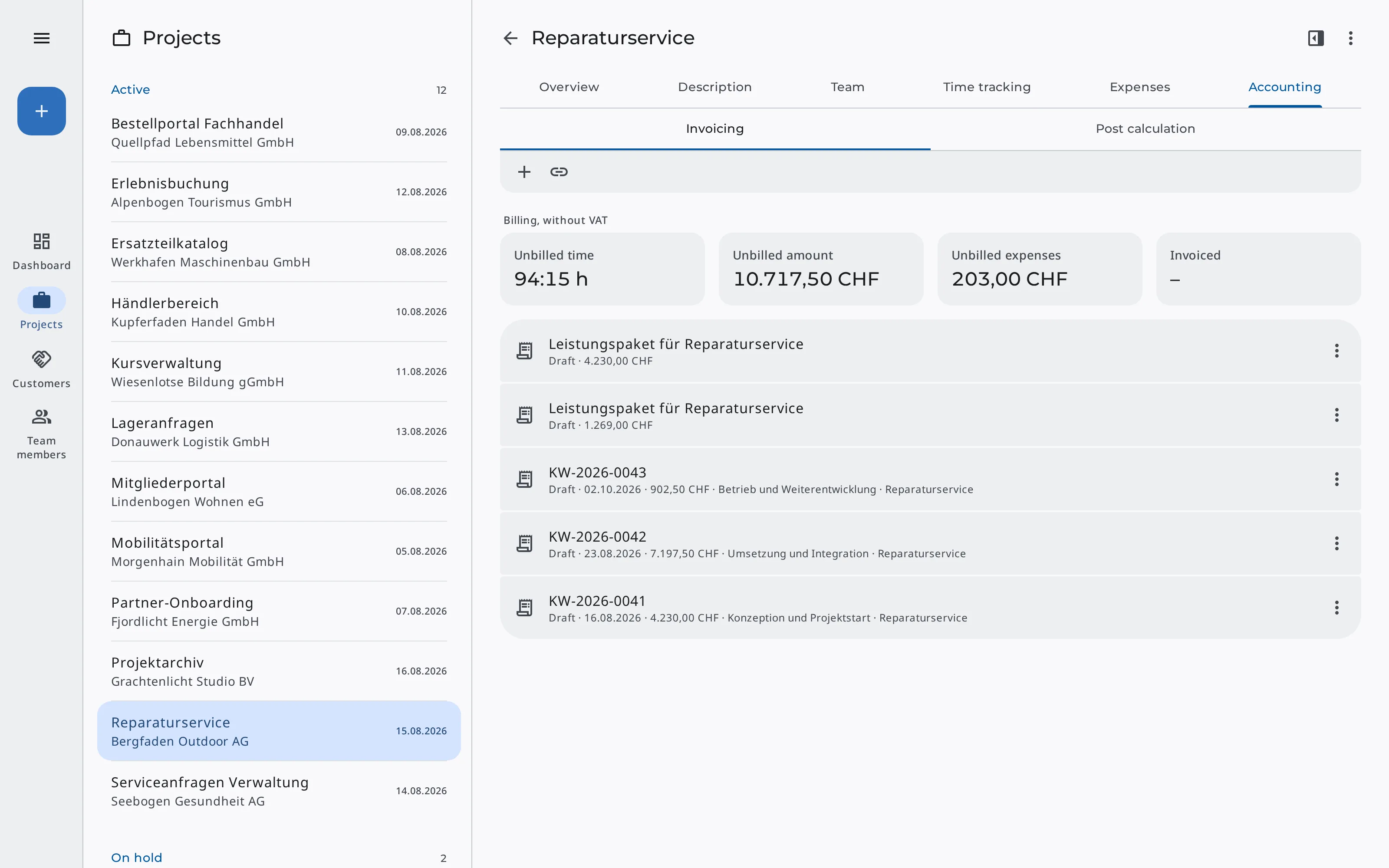
The project always shows what's still open, together with the amount it adds up to.
The project shows
- Unbilled time
- Unbilled expenses
- Unbilled amount
- The project's invoices
Benefits
Nothing billed twice
Every hour and every expense ends up on exactly one invoice, even over many months.
No forgotten expenses
All billable expenses of the period go onto the invoice automatically.
The right hourly rates
The rates come from the project instead of you looking them up for every invoice.
More information
Projects
Manage the team, hourly rates, and expenses, bill time, and compare it with the quote.
Learn moreProject Time
Record working time by timer or after the fact and review it by day, week, and project.
Learn moreInvoicing
Issue invoices, send them by email, and keep track of payments.
Learn more