Project Time
Time tracking for projects, by timer or after the fact
With Project Time, your team records its working time per project and activity. You see how much time has added up today, this week, or this month, and how much of it is billable.
Free for up to two users. No credit card required.
From time tracking to invoice
- Set the team In the project, you decide who records time on it.
- Record time You choose the project and activity and start the timer, or you add the time afterwards.
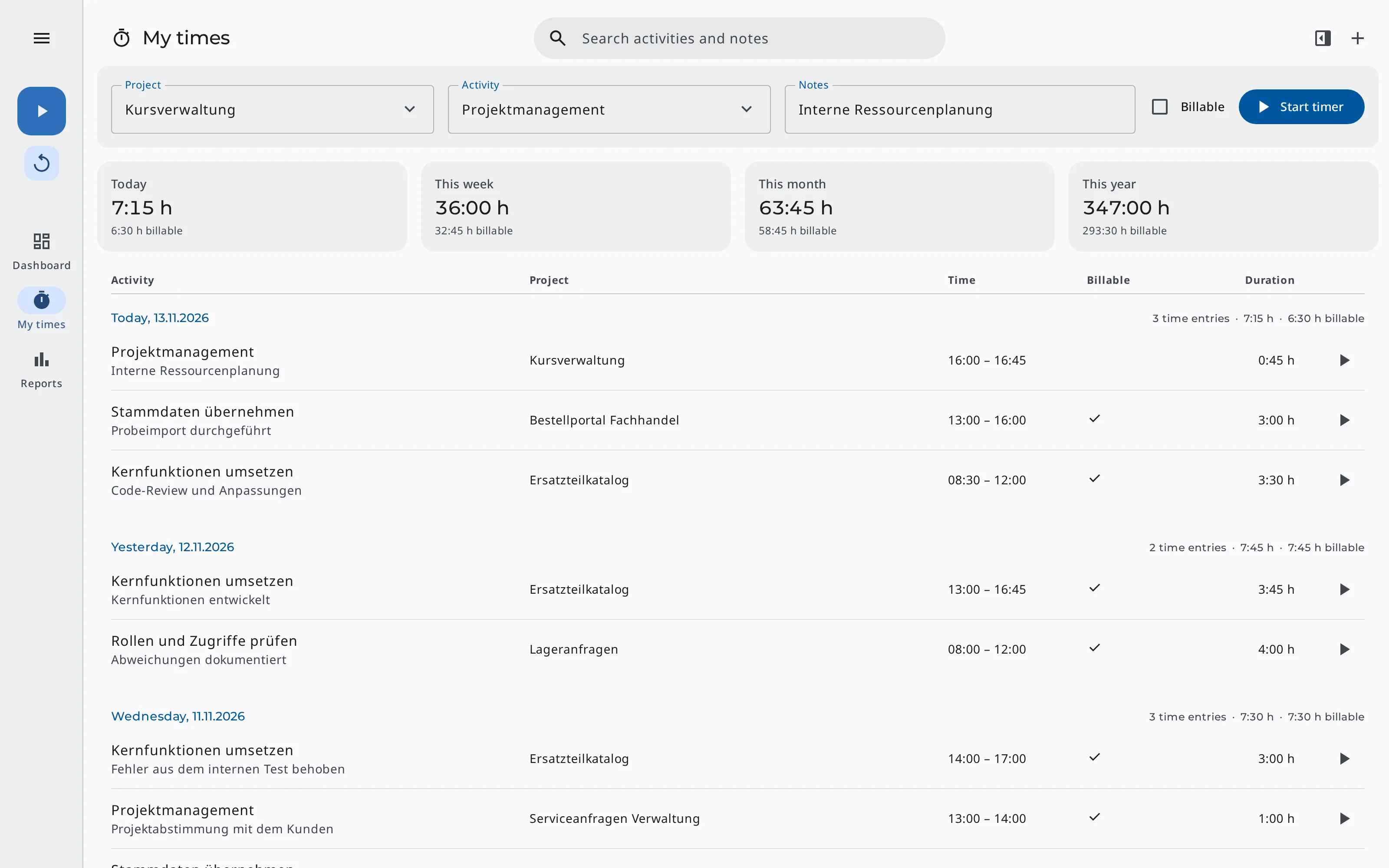
- Review your time «My times» shows your entries per day with totals and billable time.
- Bill the time In the project, you turn the unbilled time into a draft invoice.
Timer & manual entries
Start a timer
You choose the project and activity, add notes if needed, and decide whether the work is billable.
Continue tasks
After a break, one click starts a new timer with the project, activity, and notes of your last entry. You continue any earlier entry from the list the same way.
Add past time
You add forgotten time with its start and end. If two of your entries overlap, Erdikon marks them.
Widget on the dashboard
With the «Time tracking» widget, you start and stop the timer right on your space's dashboard.
My times & reports
«My times» groups your entries by day, with the total and billable time of each day. Above them, you see the totals of today, this week, this month, and this year. Selecting a period filters the list to it.
«Reports» shows the time of the whole space for the week, month, and year, in total with its billable share and split by project.
Keep track of your time
- Totals for day, week, month & year
- Billable time shown separately
- Filters by project & date
- Overlaps marked
- Reports per project
Team & permissions
Only the team records time
Only a project's team members record time on it. When someone leaves the team, Erdikon stops their running timer.
Your own entries
Each person changes only their own entries. People with read access see the time without changing it.
Billed time stays
Once time is billed, it can no longer be changed or deleted, so the invoice and the timesheet match.
Work with AI assistants
Through the Model Context Protocol (MCP), your AI assistant starts and stops timers, adds forgotten time, and summarizes the team's time.
It always acts with your permissions. The connection is included in the Pro and Unlimited plans.
Example requests
«Start a timer for the Website Relaunch project, activity Development.»
«How many billable hours has the team recorded this month?»
You can find out what else AI assistants can do in Erdikon on the page «AI Assistants».
Frequently asked questions
Do I need the Projects application?
Yes. You record time on projects from the Projects application. That's also where you set the team and hourly rates and bill the time.
Does the timer work on a smartphone?
Yes. Erdikon runs in the browser and can be installed as an app. You start the timer in Project Time or with the dashboard widget, on the go as on the desktop. If you installed Erdikon as an app, you open «Start timer» straight from the app icon, depending on your device and browser. Find out more under Mobile & Desktop.
How do I set up activities?
You type them in when you record time. Erdikon saves each new activity in the space and from then on suggests it to everyone who records time there.
Which time zone does Erdikon use?
Your organization's time zone, whatever time zone your device uses. Owners change it in the organization settings.
Part of the Erdikon platform
Projects
You manage the team, hourly rates, and expenses in the project and bill the recorded time there.
Learn moreInvoicing
You issue and send invoices from recorded time like any other invoice.
Learn moreMobile & Desktop
You start the timer on your smartphone on the go and review your time later on the desktop.
Learn moreWebhooks
Erdikon automatically reports new, changed, and deleted time entries to other software.
Learn more